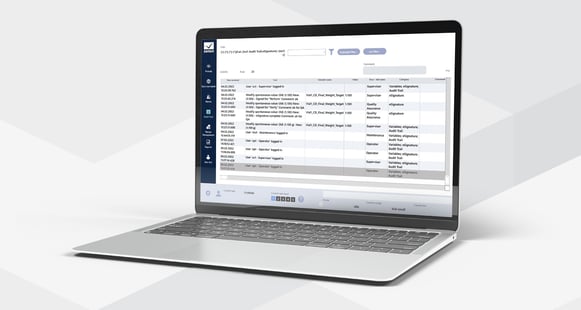
To ensure high productivity and save resources it is important to identify errors and their causes quickly so one can respond directly to the situation. With its alarm capabilities and the documentation of events in the Chronological Event List (CEL), zenon provides all the necessary tools. With preconfigured functions, the simple setting of parameters, and full compatibility with standards such as FDA CFR 21 Part 11, zenon ensures complete traceability of process chains.
- Compatibility with FDA CFR 21 Part 11
- Administration of Alarms, Audit Trail/Sequence of Events and Chronological Events
- Definition via limit values or central threshold values
- Grouping and prioritization
- Alarm shelving capabilities according to ISA 18.2-2016 and IEC 62682
- Comprehensive filter possibilities
- High performance
- Immediate redundancy capabilities
- Graphical display with a clear overview
- Supported in native Service Engine and Web Visualization Service
zenon offers the following options for displaying alarms and events:
- Alarm Message List (AML): Displays alarms with all relevant information. These alarms can either be current ones or alarms that have been put aside (shelved).
- Chronological Event List (CEL/Audit Trail/Sequence of Events): Lists process-relevant events and zenon system messages in chronological sequence.
Limit values
If limit values of variables are breached, an alarm or a fault report is triggered. Users define which limit violations trigger an alarm and/or cause an entry in the Chronological Event List during the engineering phase. For automatic, event-controlled reactions, you can link these breaches with functions. The linked function can also be executed manually, at the press of a button in an alarm screen. If flittering values often exceed limit values, alarms and messages can be suppressed in a defined hysteresis range or by a threshold value.
Alarms
Alarms can be configured in many ways in zenon. The allocation takes place, for example, according to alarm groups, alarm classes, and alarm areas. If alarms require acknowledgment or a second acknowledgement, it is ensured that the alarm was confirmed in a traceable manner. All actions are logged in detail. The acknowledgment of an alarm in zenon Service Engine can be combined with acknowledgment from the PLC by setting an acknowledgment bit.
Alarm Message List
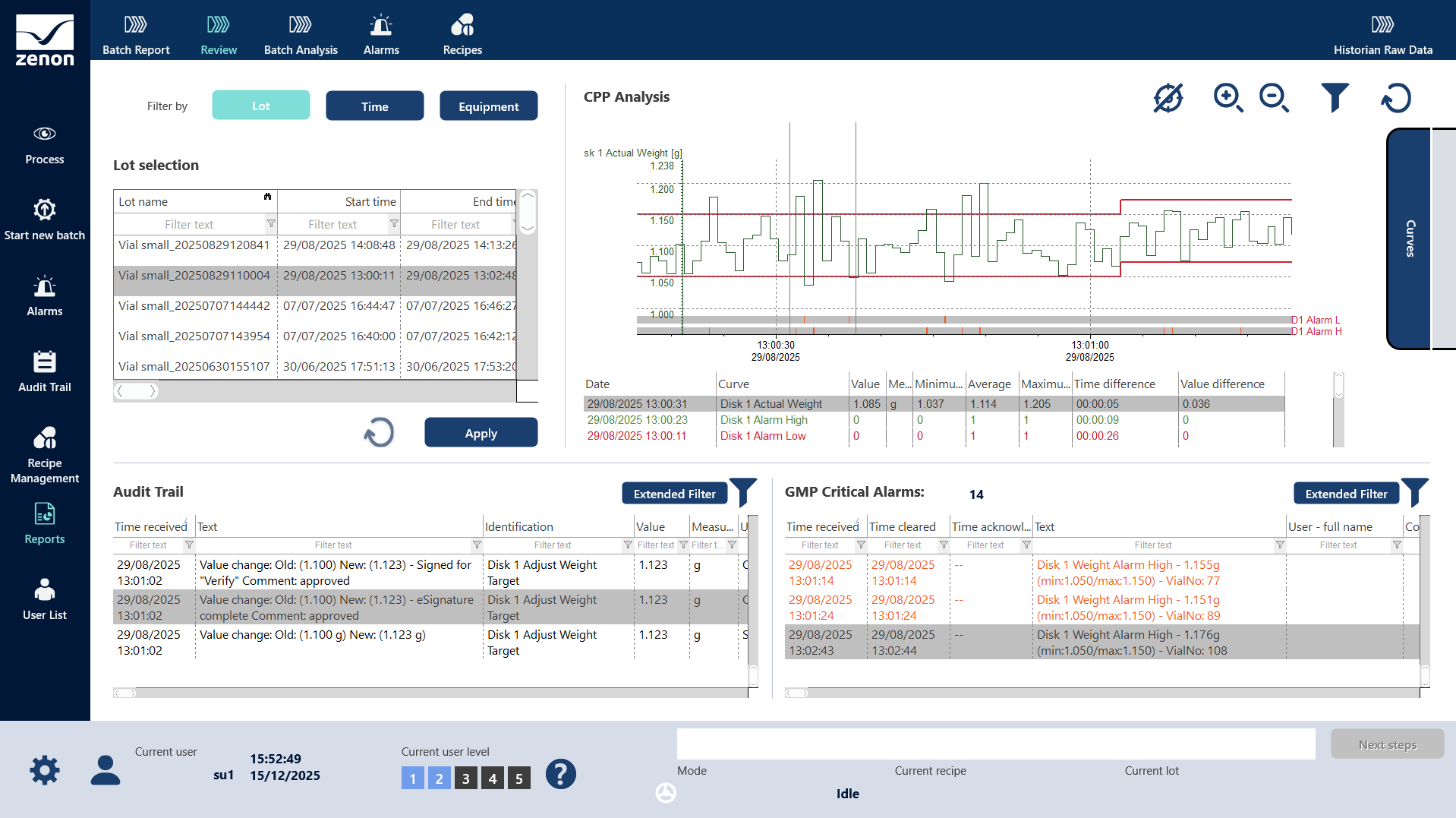
The Alarm Message List (AML) displays current and historical alarms. Diverse criteria for filtering alarms are predefined in zenon Engineering Studio. In addition, filters can also be created in Service Engine and saved there for any given user. Additional context can also be given to alarms by enabling or requiring the input of alarm causes and comments.
Alarm Shelving
zenon supports Alarm Shelving according to ISA 18.2-2016 and IEC 62682. Alarms can be put aside (shelved) in case there are many alarms of different priority that need to be treated. Alarms of highest priority have to be treated first, therefore the other alarms have to be shelved by selecting a reason and a time when the alarms are moved back to the regular Alarm Message List again. To display shelved alarms the Alarm Message List can be used as Shelved Alarm Display. All other features like external storage, export of alarms or use within reports do also consider information regarding alarm shelving.
Chronological Event List (CEL) and Audit Trail
The Chronological Event List (CEL) shows process-related events and zenon system messages in a chronological sequence. Just as with alarms, there is also a variety of filter criteria in the CEL. The alarms and Chronological Event List benefit from full redundancy capability, simple administration, and excellent performance, as well as fulfilling FDA 21 CFR Part 11 requirements.

zenon Tutorials
Configuring alarms and events in the zenon Engineering Studio is really straightforward. Even Reaction Matrices can be parameterized quickly. See in our tutorial videos how easy it is.

Need a jump start?
The demo projects available in the zenon engineering store offer templates and inspirations for nicely done alarm and event lists.
Further support needed?
If you have any remaining questions or if you need more additional information you'll find the answers here:
Search our help center, ask the community or submit a ticket.

Search for the desired help content of the zenon Software Platform.

Consult the AI-powered information source for assistance.

Your local zenon representative is only a phone call or e-mail away.